I find it helpful during my startup routine to prepare for each of the meetings I have on a given day. After I preview my schedule for the day, I prepare for each meeting in order.
If a meeting is related to an ongoing project, I open the project folder in DEVONthink. To make this quick and easy, I keep a link to each project’s folder in the notes section of Things for that project. I then activate a Keyboard Maestro script that does the following steps, which you can complete manually if you do not use Keyboard Maestro:
- Prompt me to provide the title of the notes. I use the naming format “notes – yyyy-mm-dd – title of notes” so that when I sort my files in alphabetical order in DEVONthink, I can see the notes for each project by date, separated from other files for that project. Take a look at the screenshot below to see a folder for an esports tournament I was recently planning. You can see that the notes end up organized together, with other documents related to the project in the same folder.
- Activate DEVONthink 3.
- Create a new markdown text document.
- Name the file with the title of my notes, based on the prompt in #1.
- Add the following to the body of my notes: table of contents (using the TOC markdown symbol, which automatically creates a table of contents based on the headings within a note), the title of the notes, and headings for attendees, agenda items, resources, and notes (see example below).
- Flag the note in DEVONthink. This helps me quickly find the notes during the day, and I do not remove the flag until I have processed any tasks the meeting generates.

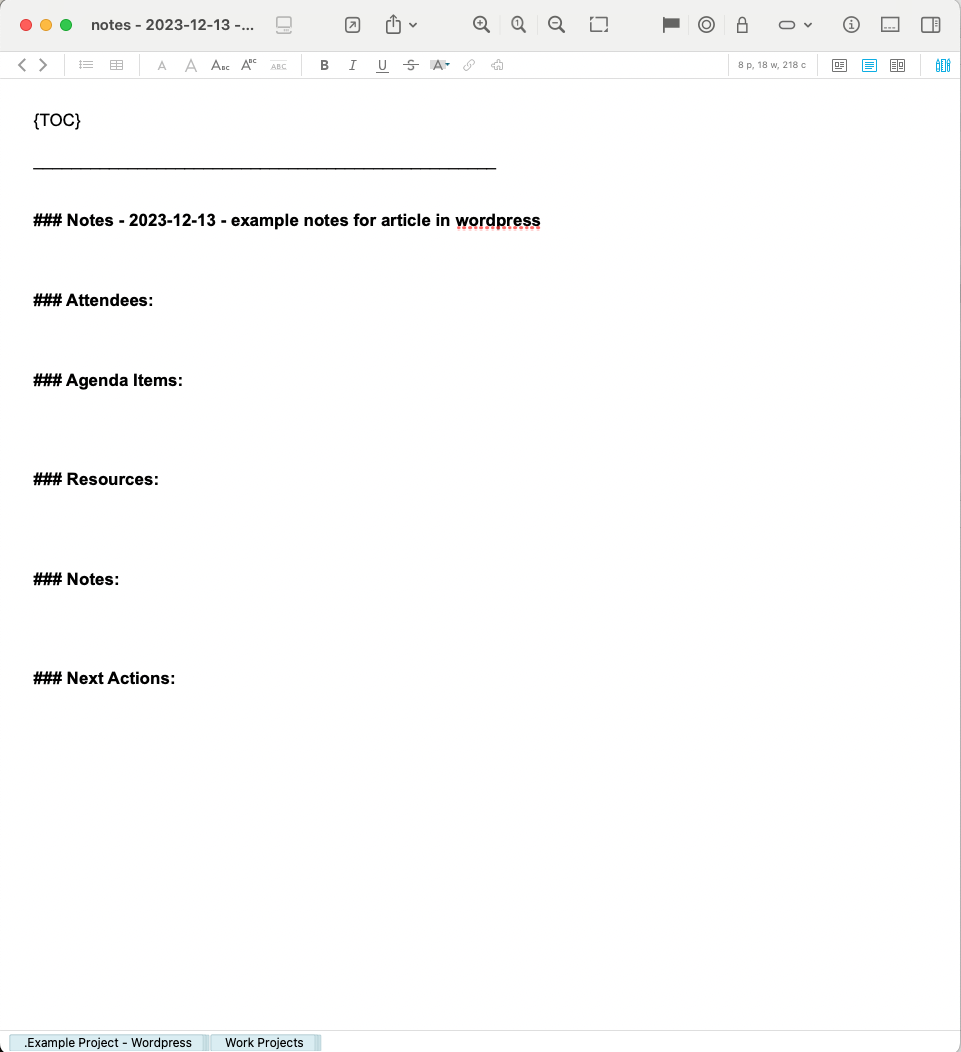
For each meeting, I typically define the agenda items during my morning startup routine to ensure that I use the meeting time as productively as possible. I will share how I take notes in a future article.
Preparing for my meetings during my startup routine ensures that I am ready when a meeting begins, especially on those days when I have a lot of meetings, or when I am interrupted just before a meeting time. In addition, this helps ensure that I use the meeting time as effectively as possible.

 Scott Reindl